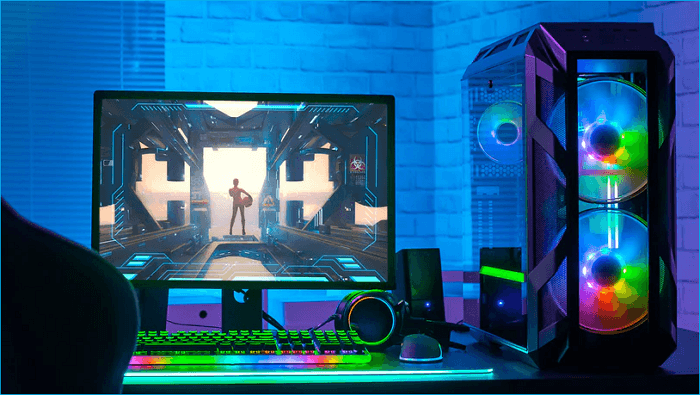
Gaming PCs are an investment, often costing hundreds to thousands of dollars, and they require proper care and maintenance to ensure longevity. One of the most overlooked aspects of maintaining a gaming PC is how and where it is stored, especially for extended periods.
In this article, we’ll explore a real case involving a customer who stored his gaming PC improperly and the costly consequences that ensued. We’ll also delve into the best practices for storing your gaming PC to prevent damage from environmental factors like humidity and dust.
The Costly Consequence of Improper Storage
Recently, a customer brought his gaming PC to Prime Tech Support after retrieving it from storage. He reported that the PC would not display any video when he tried to turn it on. Upon inspection, we discovered a series of issues that had rendered the PC unusable:
- Rat Infestation: There were rat droppings near the golden fingers of the GPU.
- Dust and Debris: The entire unit was filled with dust and debris.
- Humidity Damage: The motherboard had suffered significant damage due to prolonged exposure to humidity.
These issues collectively resulted in a repair cost that was higher than purchasing a new entry level pre-built Gaming PC.
Why Storage Conditions Matter
Many people underestimate the impact of storage conditions on electronic devices, especially high-performance gaming PCs. Here are some key factors that can lead to damage:
Humidity
Humidity is a major enemy of electronic components. High humidity can cause:
- Corrosion: Metal parts, including circuits and connectors, can corrode over time when exposed to moisture.
- Short Circuits: Moisture can lead to short circuits, damaging the motherboard and other components.
Dust and Debris
Dust can accumulate inside the PC, clogging fans and other cooling components, leading to overheating. Additionally, dust can act as an insulator, trapping heat inside the PC case.
Pests
Storage areas, particularly those that are not regularly cleaned, can attract pests like rodents. Rodents can chew through cables and leave droppings, which can lead to both physical damage and health hazards.
Case Study: Customer’s Gaming PC
The customer’s gaming PC had been stored in a humid environment without any precautions to mitigate the effects of moisture. When he attempted to power it on, the damage had already been done. Here’s a breakdown of the issues we found:
- Rat Droppings on the GPU: The droppings were found near the golden fingers of the GPU, which are critical for proper connection and functioning.
- Internal Dust and Debris: The PC’s internals were covered in dust, affecting the cooling efficiency and overall performance.
- Humidity Damage: The motherboard was severely corroded and beyond repair due to prolonged exposure to humidity.
The Solution: New Pre-Built vs. Custom Build
Given the extent of the damage, we advised the customer that repair costs would exceed the price of a new system. We recommended either purchasing an entry-level pre-built gaming PC or investing in a custom-built one from Prime Tech Support.
- Pre-Built Gaming PC: The customer opted for an entry-level pre-built system, which was a more immediate and less expensive solution.
- Custom Build from Prime Tech Support: While slightly more expensive (about $300 more than the pre-built option), our custom builds use higher-quality components, ensuring better performance and longevity.
Why We Recommend Custom Builds
At Prime Tech Support, we highly recommend custom builds for several reasons:
- Quality Components: Custom builds allow us to use premium components that are tailored to the customer’s needs.
- Better Performance: Higher quality parts generally offer better performance and durability.
- Future-Proofing: Custom builds can be designed with future upgrades in mind, providing better value in the long run.
Best Practices for Storing Your Gaming PC
To prevent issues like those faced by our customer, follow these best practices when storing your gaming PC:
Choose a Suitable Environment
- Temperature Control: Store your PC in a climate-controlled environment. Avoid basements, attics, and garages where temperature and humidity levels can fluctuate significantly.
- Low Humidity: Keep the storage area dry. Consider using a dehumidifier if you live in a humid climate.
Proper Packaging
- Dust Covers: Use dust covers or anti-static bags to protect your PC from dust and debris.
- Elevate the PC: Store the PC off the ground to protect it from pests and potential flooding.
Regular Maintenance
- Periodic Checks: Check on your stored PC periodically. Power it on every few months to ensure it is still functioning properly.
- Cleaning: Clean the PC before storing it and periodically check for dust accumulation.
Pest Prevention
- Seal the Area: Ensure the storage area is sealed from pests. Use pest repellents if necessary.
- Inspect for Pests: Regularly inspect the storage area for signs of pest activity.
Conclusion
Improper storage of gaming PCs can lead to significant damage, as illustrated by the case of our customer. By understanding the risks associated with humidity, dust, and pests, and by following best practices for storage, you can protect your investment and ensure your gaming PC remains in optimal condition.
If you have any concerns about storing your gaming PC or need advice on custom builds, don’t hesitate to contact Prime Tech Support at 786-600-6999. Our team of experts is here to help you make informed decisions and provide the best solutions for your gaming needs.





Leave a Reply